Newly installed elementary OS? Looking to customise it? Look no further. In this post, I explain how to install elementary OS tweaks and use them to modify the look and feel of the OS.
What is elementary OS?
elementary OS is an Ubuntu-based desktop distribution. Some of its more interesting features include a custom desktop environment called Pantheon and many custom apps including Photos, Music, Videos, Calendar, Terminal, Files, and more. It also comes with some familiar apps like the Epiphany web browser and a fork of Geary mail.
What do I expect done?
Well, nothing much but I do expect that you have downloaded a modern web browser (seriously, if you are using Epiphany why, just why??).
Enabling PPA
For those of you who don't know, we need to download stuff from custom repos, so we need to enable that functionality.
sudo apt-get install software-properties-common
Installing Tweaks Tool
This is a third-party tweaks tool, since tweaks are not enabled in the OS by default.
    sudo add-apt-repository ppa:philip.scott/elementary-tweaks
    sudo apt-get install elementary-tweaks
Installing Adapta Theme
We will be installing the Adapta GTK+ Theme.
    sudo apt-add-repository ppa:tista/adapta
    sudo apt install adapta-gtk-theme
Installing Papirus Icon Theme
Now, we will install the Papirus Icon theme since the default one is pretty boring.
    sudo add-apt-repository ppa:papirus/papirus
    sudo apt install papirus-icon-theme
Enabling the tweaks through settings.
Just go to settings and you will see a new Tweaks option, which will allow you to customise it.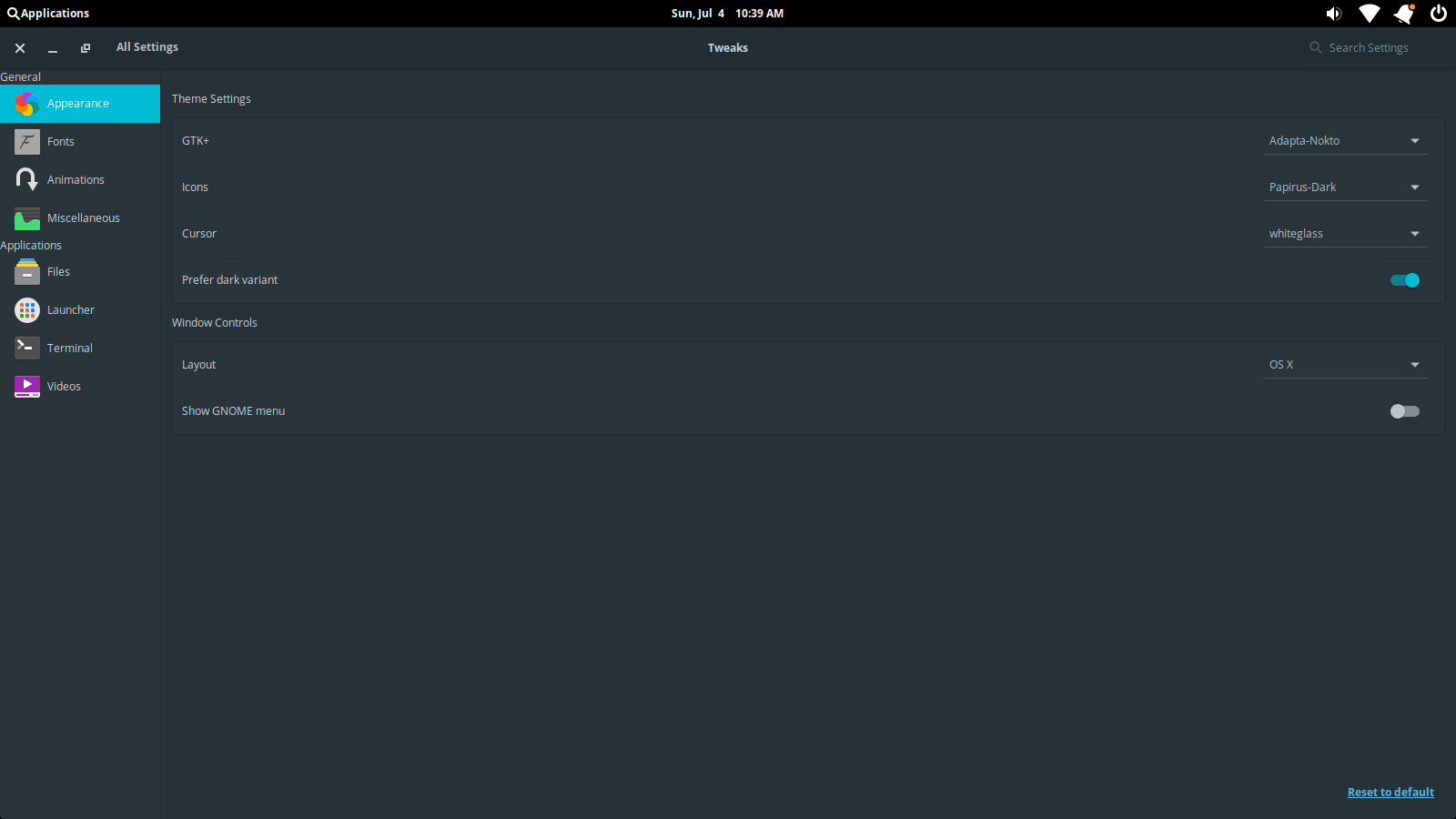
You can find the full bash file here.